🔥 What Is Output Thermal?
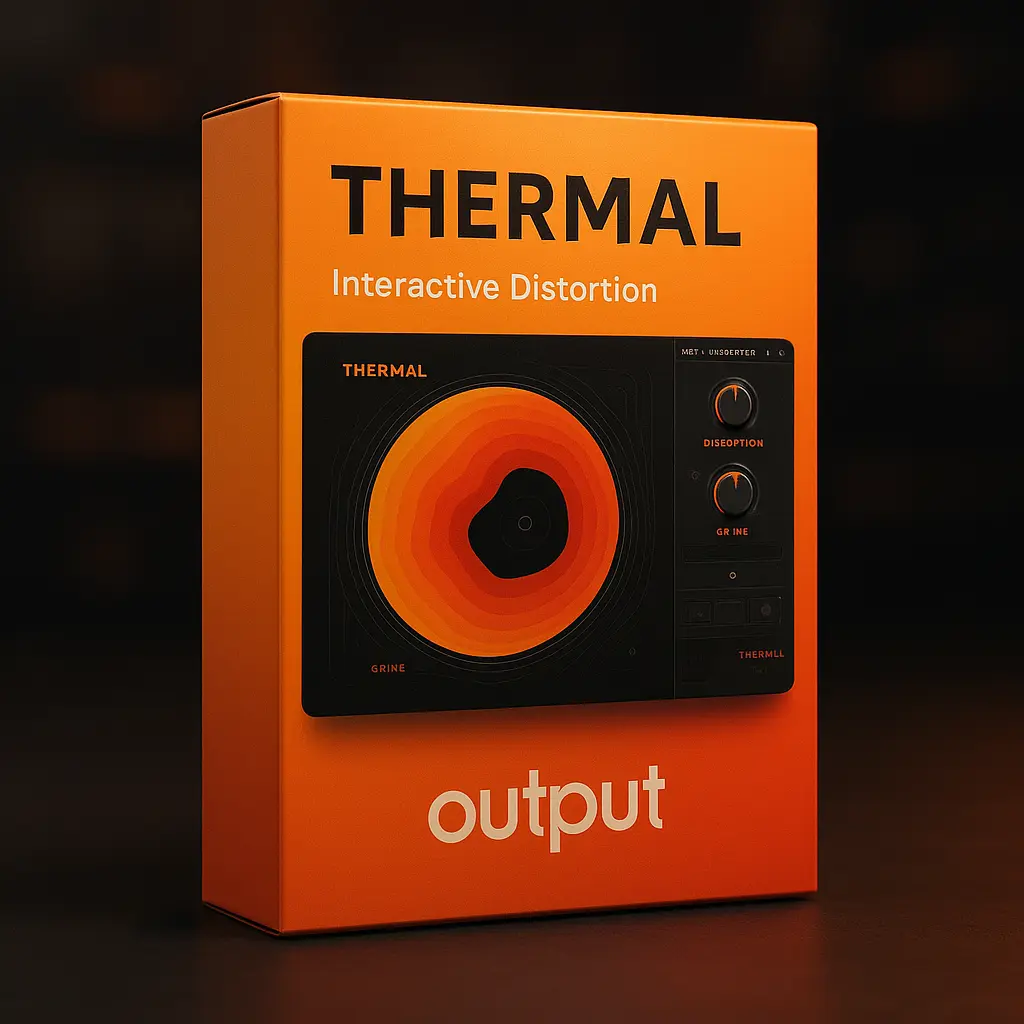
Output Thermal is a powerful interactive distortion plugin that enables producers and sound designers to sculpt audio with precision. Utilizing a multi-stage engine, Thermal allows for intricate layering of distortion effects, making it ideal for genres ranging from electronic and ambient to film scoring and experimental music.
🎛️ Key Features
Multi-Stage Distortion Engine: Layer up to three stages of distortion, each with its own controls and effects.
19 Distortion Algorithms: Choose from a variety of analog and digital distortion types to craft your unique sound.
Interactive XY Control: Manipulate multiple parameters simultaneously with an intuitive circular XY pad.
Advanced Modulation: Utilize two customizable LFOs with curve editors and a Humanize function for dynamic modulation.
Built-in Effects: Enhance your sound with nine additional effects, including chorus, delay, and bitcrusher, plus a master compressor and filter.
Preset Library: Access over 250 presets for instant inspiration and quick workflow integration.
Waveform Display: Visualize and manipulate your audio with a detailed waveform interface, including band-split capabilities.
Mid-Side and Width Controls: Fine-tune the stereo image and spatial characteristics of your sound.
🎚️ How to Use in Your DAW
Integrating Output Thermal into your digital audio workstation (DAW) is straightforward. Compatible with major DAWs like Ableton Live, FL Studio, Cubase, Studio One, and Reaper, Thermal can be inserted as a VST, VST3, AU, or AAX plugin. Use it to add harmonic richness to synths, create evolving textures in ambient tracks, or introduce gritty distortion to drums and vocals. The plugin’s modulation capabilities and preset library make it a versatile tool for both mixing and sound design applications.
⚖️ How It Compares to Other Tools
Output Thermal vs. iZotope Trash 2: While both offer multi-stage distortion, Thermal provides a more interactive interface with its XY control and a broader range of modulation options.
Output Thermal vs. FabFilter Saturn 2: Saturn 2 excels in multiband distortion, but Thermal’s focus on real-time interaction and its extensive preset library offer a different user experience.
Output Thermal vs. Soundtoys Decapitator: Decapitator is known for its analog warmth, whereas Thermal offers a wider palette of distortion types and deeper modulation capabilities.
💻 System Requirements & Plugin Format
Platforms: Windows 10 or later, macOS 10.14 or later (including Apple Silicon compatibility).
Plugin Formats: VST, VST3, AU, AAX.
DAW Compatibility: Ableton Live, FL Studio, Cubase, Studio One, Reaper, and more.
Hardware Requirements: 8GB RAM minimum (16GB recommended), Intel Core i5 or higher.
❓ FAQs from Real Producers
Can I use Output Thermal in FL Studio?
Yes, Output Thermal is compatible with FL Studio via VST or VST3 formats.
Does Output Thermal support modulation?
Absolutely. Thermal includes two customizable LFOs with curve editors and a Humanize function for adding dynamic movement to your sounds.
Is Output Thermal suitable for mastering?
While primarily designed for creative distortion and sound design, Thermal can be used subtly in mastering to add harmonic content, but caution is advised to maintain audio integrity.
How does the XY control enhance sound design?
The XY pad allows for intuitive manipulation of multiple parameters simultaneously, enabling real-time morphing and dynamic transitions in your audio.
Output Thermal is a multi-stage distortion plugin with an interactive XY pad interface — meaning you can morph between up to three different distortion algorithms in real time, modulated by an LFO, envelope, or MIDI control. Compared to traditional fixed-algorithm distortion plugins like iZotope Trash 2 or FabFilter Saturn, Thermal’s focus is interactive sound design: producers in EDM, hip-hop, trap, experimental, and film score use it for evolving textures, vocal effects, drum smashing, and synth processing. At this deal price, this is the most cost-effective way to access Output’s flagship distortion engine in any DAW (VST3, AU, AAX).







 100% Secure Chckoute
 Future Free Updates






Reviews
Clear filtersThere are no reviews yet.